I wanted to write a blog post that could be a bit more accessible. Sometimes I like to get into the weeds about cool technical things around AI, politics around the industry, or other niche topics that are more interesting to me than maybe the people I’m trying to help. Writing (I do all my blogs by hand, no AI here) helps me think through some of the issues I’m facing, but, my goal is really to make this wonderful technology accessible to more people.
So, I wanted to go over a few places to start if you’re still using ChatGPT, Gemini, or Claude as “just” a chatbot, and get you moving to doing longer, more complex tasks for your role.
Your model choice: is it as important as some people say?#
Model quality#
The model is the engine that runs the prompt. You might see headlines like “ChatGPT’s Astra overtakes Claude’s Fable” or that “Google finally releases a new frontier model after 6 months” and really wonder what this is all about.
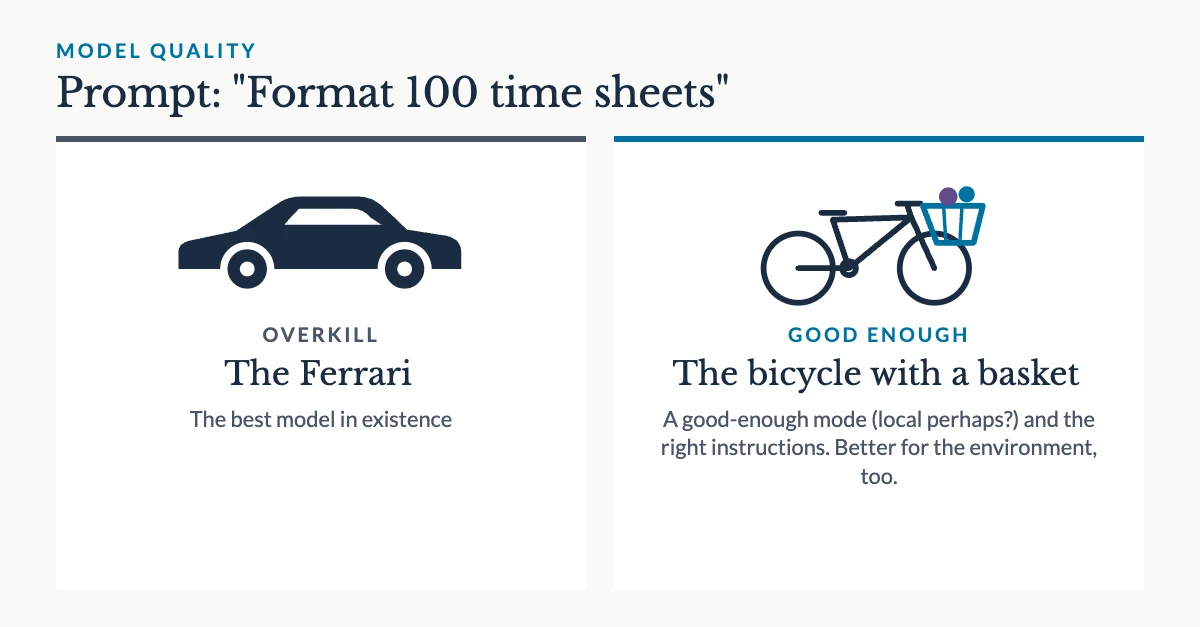
Do you need the best model in existence to take a few admin tasks off your shoulders? I’d say probably not.
A lot of people these days refer to it as “taking the Ferrari to the grocery store”. You don’t need to use a model capable of solving millennium mathematical equations to format 100 time sheets with different time and date conventions. You just need a model that’s good enough, and the right instructions for the job.
Sovereignty#
Now, where the choice of model is important, is its hosting: EU or non-EU. And deeper than that, the jurisdiction of the company hosting the model.
AWS for example promises the ability to use Anthropic’s models via their EU hosting. But AWS is an American tech company. This means you could be opening yourself to surveillance through their CLOUD Act. This is more of less significant depending on the type of work and IP you might be putting through the model.
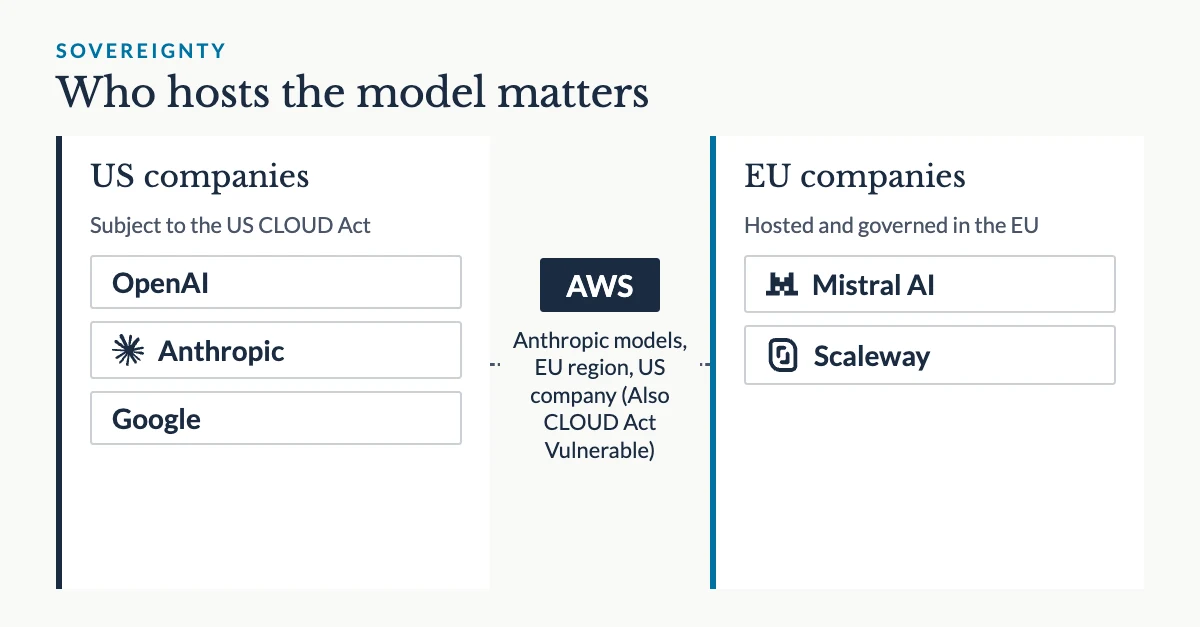
Mistral is a good alternative. Even though their models are not as performant, they can do good work, and, they offer GLM 5.2 which is a Chinese open-weight model, meaning it’s something they are allowed to freely host and use on their servers, so you can use it as a European business and not be worried about data sovereignty.
You might not trust that the AI lab companies truly delete your data, as they say they do. Even Mistral… I trust them far more than any other lab, but I also see where people can be very paranoid.
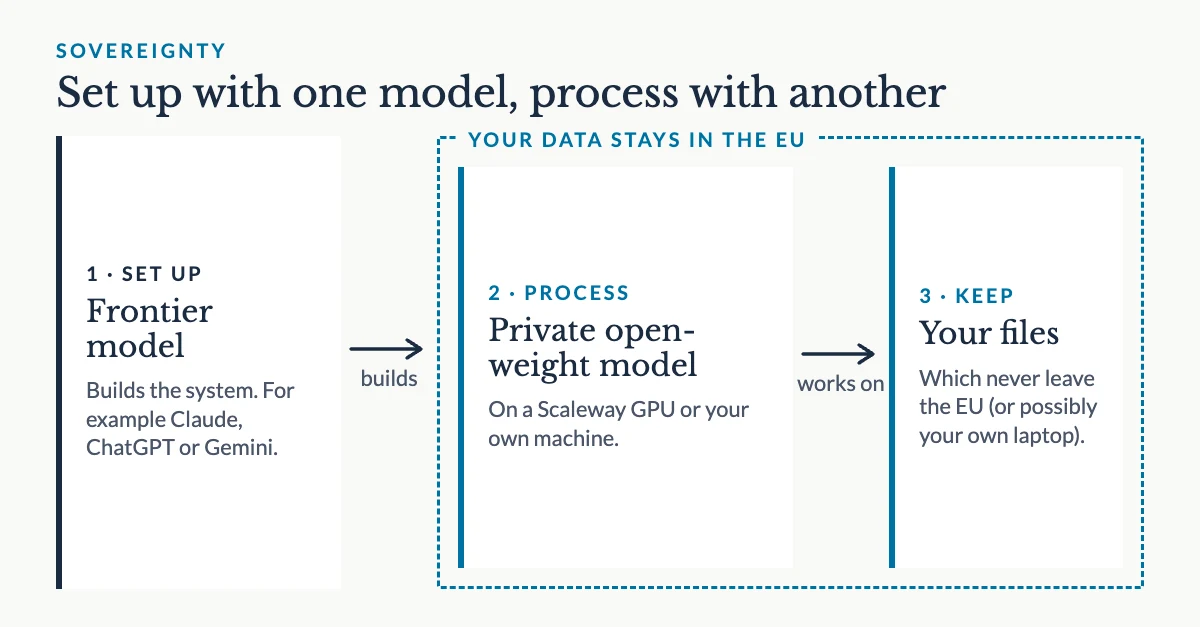
Therefore, I’m a big fan of using a hosting provider like Scaleway for simple tasks. Not only can they host a Wordpress site, but you can actual rent one of their GPUs virtually, upload your own open-weight model. It sounds complicated but you can use an AI assistant like Claude to help you do this.
So your workflow becomes an American frontier model for setting up a useable system, and a private, open-weight model for actually processing data.
Local models#
Under the sovereignty section you may have already felt a bit overwhelmed. Local models are something I think many people are unaware of, and when they hear about them, it’s about as intimidating as the idea of trying to use a Linux operating system instead of Microsoft or Apple.
What you might not know, is that local models already run on your machine (and actually, Linux enables most of the world’s tech).
If you have a Mac, for example, the photo identification that your photos app runs on the people in your camera roll is done locally. Both Windows and Macs have local models for transcription.
Using a local model might be a future step for you, but it’s the 1 barrier to true privacy and autonomy when it comes to using AI models.
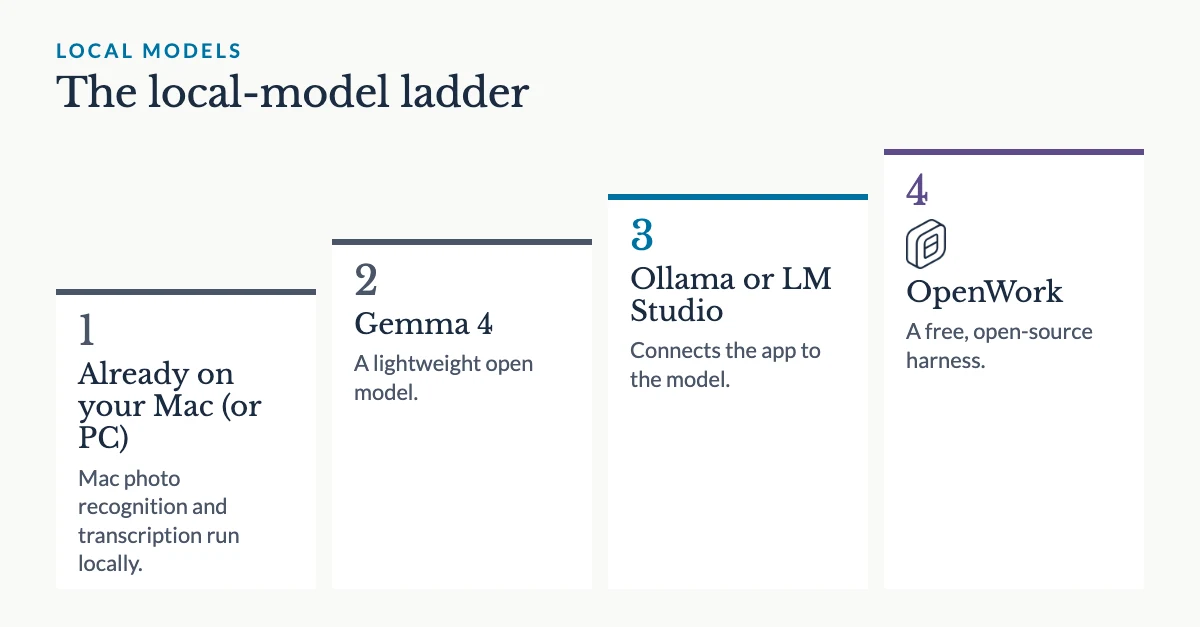
A great place to start would be downloading an app like OpenWork (a free alternative to Claude Cowork), a lightweight model like Gemma 4, and a way to connect the app to the model: Ollama, LM Studio, or any OpenAI-compatible server.
Again, you can ask your ChatGPT, Claude, Gemini, or any other frontier-lab assistant to help you figure out the setup.
Your harness#
Highest privacy#
The thing we just talked about, OpenWork, is a “harness”. A harness is not a strictly fixed definition, but I would say it’s a piece of software that allows you to do something with a model that’s not just a pure prompt and response. It allows the model to read websites, or your files and emails, or to understand your context of what you do for work, or to generate various types of documents… there are all sorts of things. Think of it like Office software but for a model. You can add more or take stuff away.
For non-tech users, it’s something with a GUI - a graphical user interface. That means there are buttons, settings, etc you can click and use to modify the software settings or use. This is opposed to a CLI, which is the type of harness a lot of developers use for coding. In a CLI, there aren’t buttons or specific places to type in information and save it - you basically communicate with your computer directly, using your keyboard.
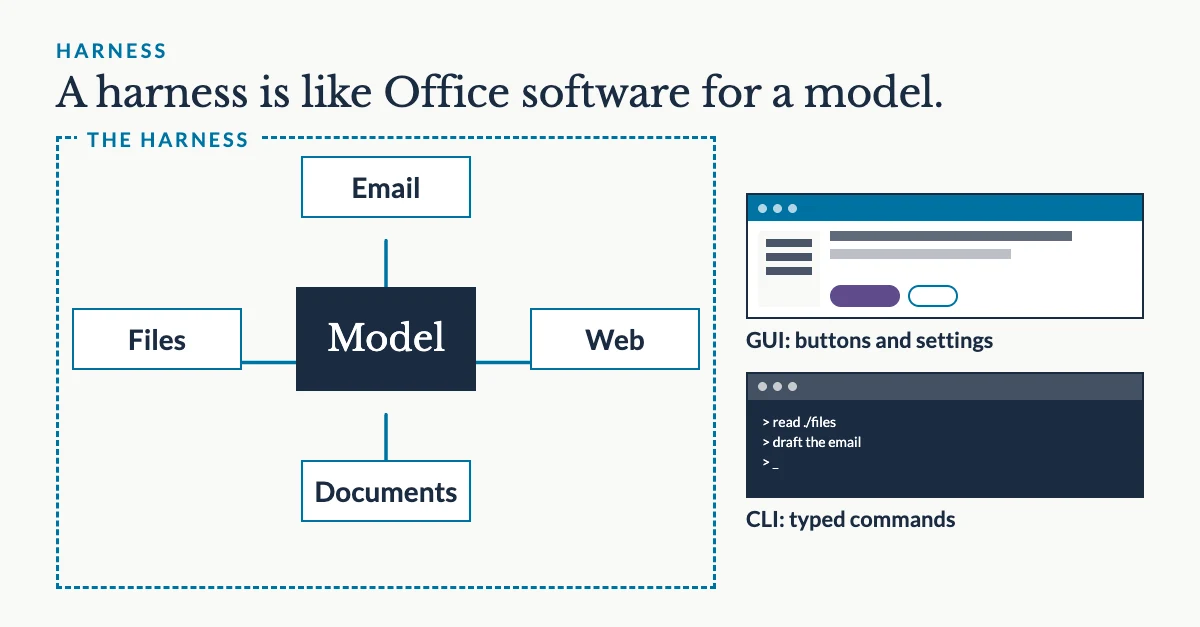
Setting up a harness from scratch is hard. So that’s why I recommend something like OpenWork, which already has built-in ways to hook up a model (local or hosted by someone else), hook up your files and folders, etc.
It’s open source, free to use, straightforward enough… It does take some getting used to. It’s not as sophisticated as Claude Cowork. But Claude Cowork recently made some changes that are upsetting quite a few people when it comes to privacy and their files, so, it might be a good time to look at switching.
Better prompting#
Global instructions#
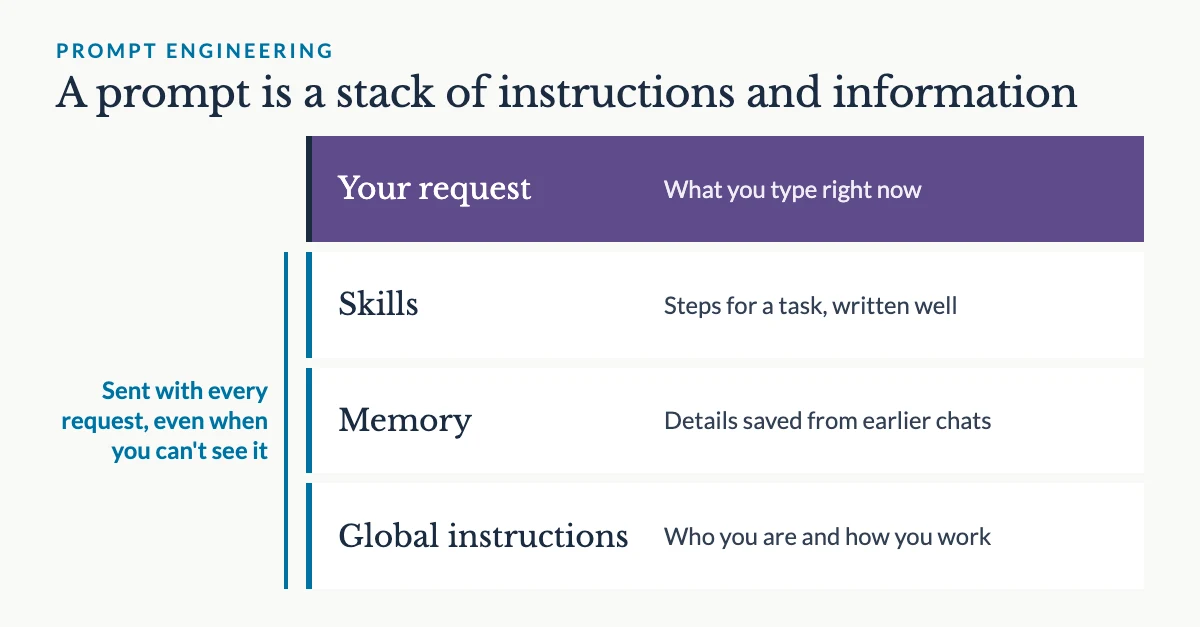
A lot of people still think of a prompt as just what goes in the chat box at the moment you click “send”, but it’s so much more than that. Nowadays, you can set up a project to include “always-on” instructions (such as a “map” that will allow the AI to understand where to find other relevant information) that is always sent with your prompt whether or not you see it. It’s all in the setup.
In Claude Desktop, for example, you can go to Settings > Account > Instructions for Claude and input a large amount of text that will describe exactly how you work so Claude always produces things that are more relevant for you. For example, if you’re filling out a lot of documents, you might want your company’s address in there, a description of what you make, your website, and your own role so it understands who you are. You can also set up your memory to try and grab these details, but this “top-level” instruction is going to help you immensely.
To make one quickly, I’d recommend taking this prompt and pasting it into a few of your longest running chats:
“I am trying to make a global Claude.MD file to help Claude Desktop work better for my needs. Based on this conversation, what do you think would be important to include?”
Once you have a few of these (2-5 let’s say), put them all together in a new chat and ask:
“I am trying to make a global Claude.MD file to help Claude Desktop work better for my needs. I have gathered these suggestions from other chats. Can you please combine them, removing redundancies, and making the file as lightweight as possible?”
Then take all that text, and put it in the Instructions for Claude. For ChatGPT or another tool, copy and paste this entire section, and ask “how would I do the same kind of thing in here?”
Prompt engineering#
Prompt Engineering was touted as the next “big” job in tech. Like what a full stack web developer was a few years ago: someone who could command a big salary, solve a lot of problems, but still save a company money by just being 1 person taking on the role of several.
A prompt is not just a prompt anymore. It’s a layered structure of context that is shared ALONG WITH your in-the-moment request to the AI model. Depending on your harness (these two things go together) there might be a memory of previous chats (where just important details are saved - for example, your company url, or your target personas for marketing).
It might also include, as discussed before, your top-layer instructions.
It may also include, as an extension of your AI capabilities, a “skill” or set of skills that will allow the AI to follow a series of steps and produce something of quality.
For example, I have an open source (free) skill on my GitHub to use for editing together yapping videos for instagram with your own font choice for captioning.
You copy and paste the URL into an appropriate “harness”, give it your video, answer a few questions to set up the brand, and then it’s ready to go for repeated use.
Layering skills together appropriately, or tweaking your skills (by prompting AI with your feedback and goals) are great ways to improve the overall potential of your prompts for long-running, more complex tasks.
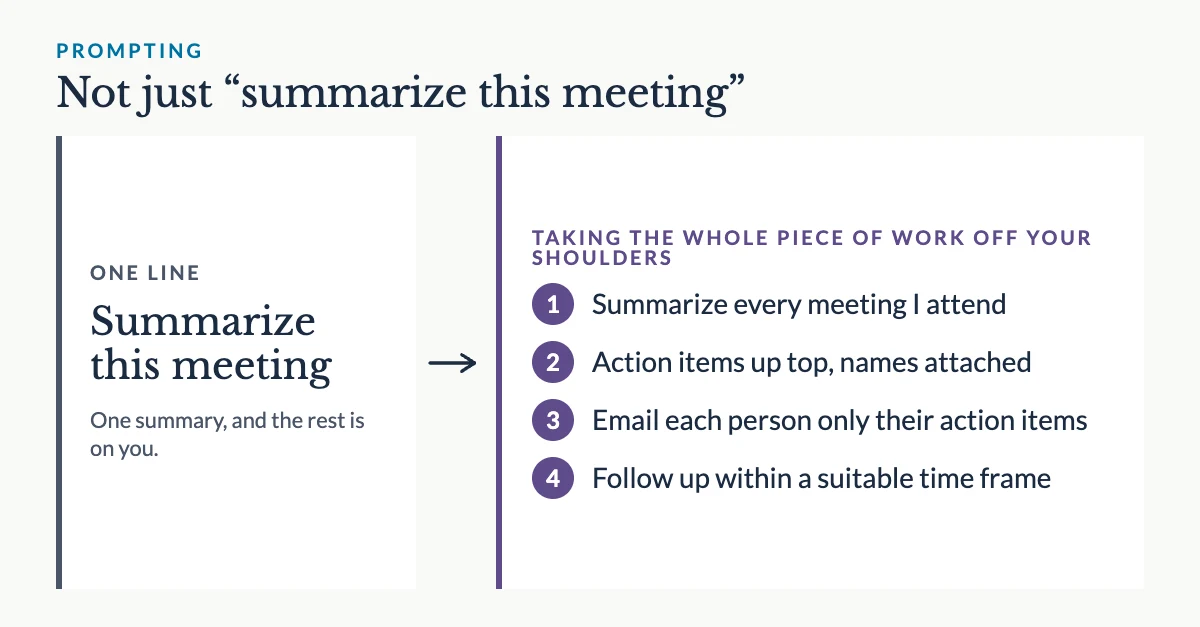
Think, not just “summarize this meeting” but “summarize every meeting I attend, give me the action items up top with names attached, and email each person in the meeting with just their action items, then follow up within a suitable time frame”.
AI for small teams#
My goal is to use AI for good, and the good I see is how it might help us change our economies for the better, globally: by relying more on the businesses in our communities for employment, rather than big tech firms or giant conglomerates. That goes hand-in-hand with thinking about getting off of American frontier labs’ models, who are hurting the environment in their endless pursuit of dominance. AI isn’t actually that bad for the environment when you take away the impact of training new models, and using the right model for the right job.
I think a lot of people have good ideas, and want to build something themselves, but the barrier to entry is too high. So, if you’re looking for help getting a business off the ground, or seeing how you can gain productivity in your small team and hopefully drive revenue that will allow you to hire more staff in the future, please reach out.
We can go so far together.